If you are the administrator user of the establishment, below are the steps to add a collaborator (contact) and to manage attachment requests on your Service Area at Ecomaison.
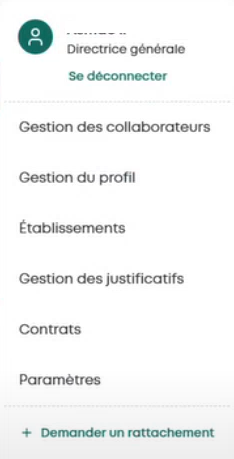
Become an administrator
If you have just created a new establishment, your profile is considered as administrator by default.
Request attachment to an existing establishment
If you wish to attach yourself to an existing establishment, contact the administrator of your establishment to grant you rights. cf.
Change administrator
To change the administrator, simply designate another user as Administrator.
Accept or decline a collaborator's attachment request to my establishment
Step 1: Access the Service Area
Step 2: View notifications
Once logged in, click on "Your Notifications" / Collaborator Management
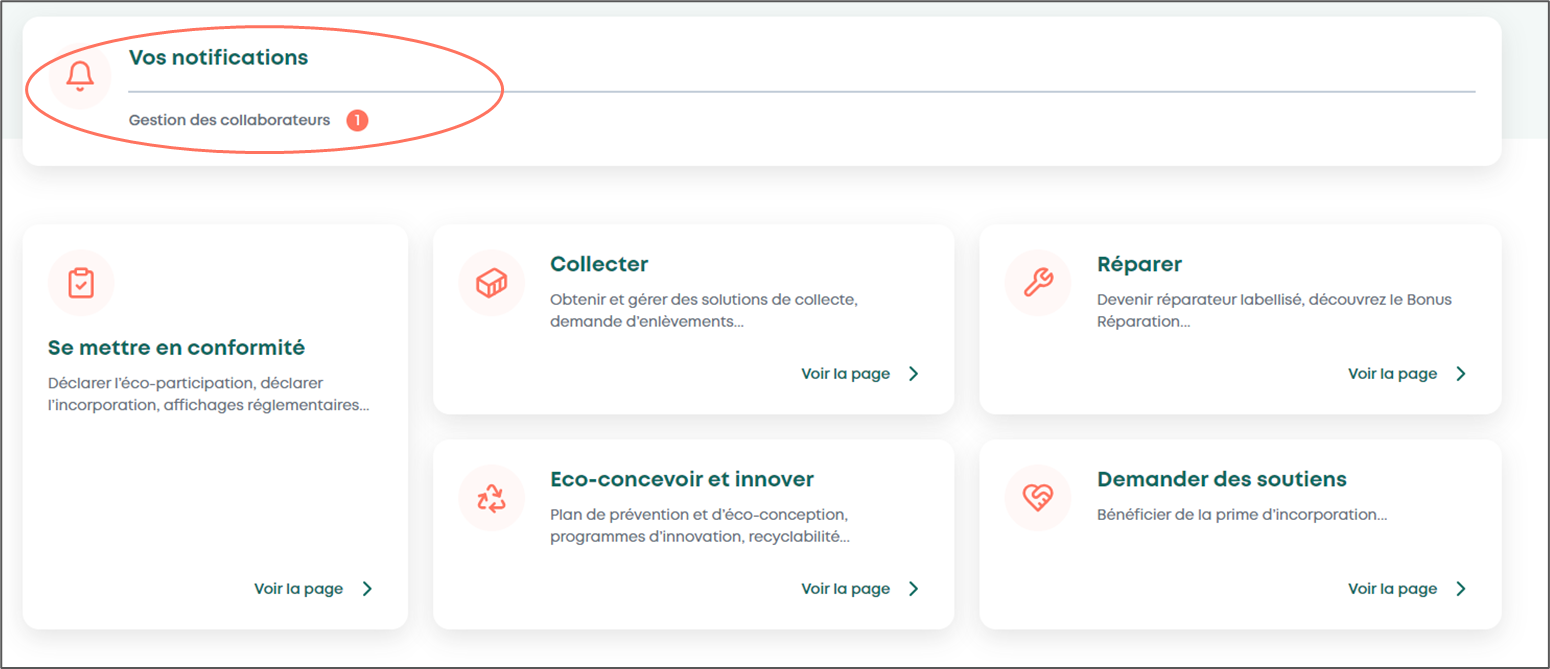
Step 3: Handle attachment requests to your establishment
On the "Collaborator Management" page
Click on "Manage Rights"
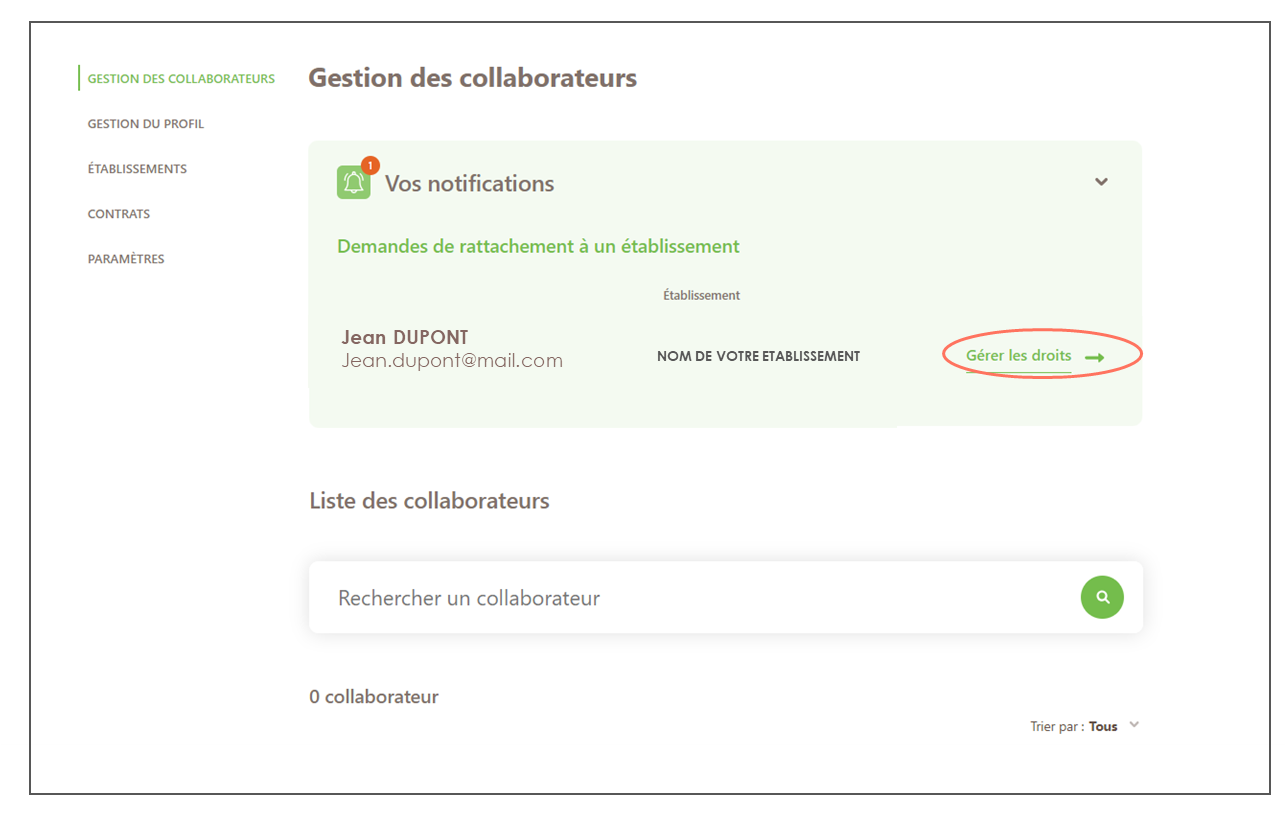
Step 4: Manage this collaborator's rights on your establishment
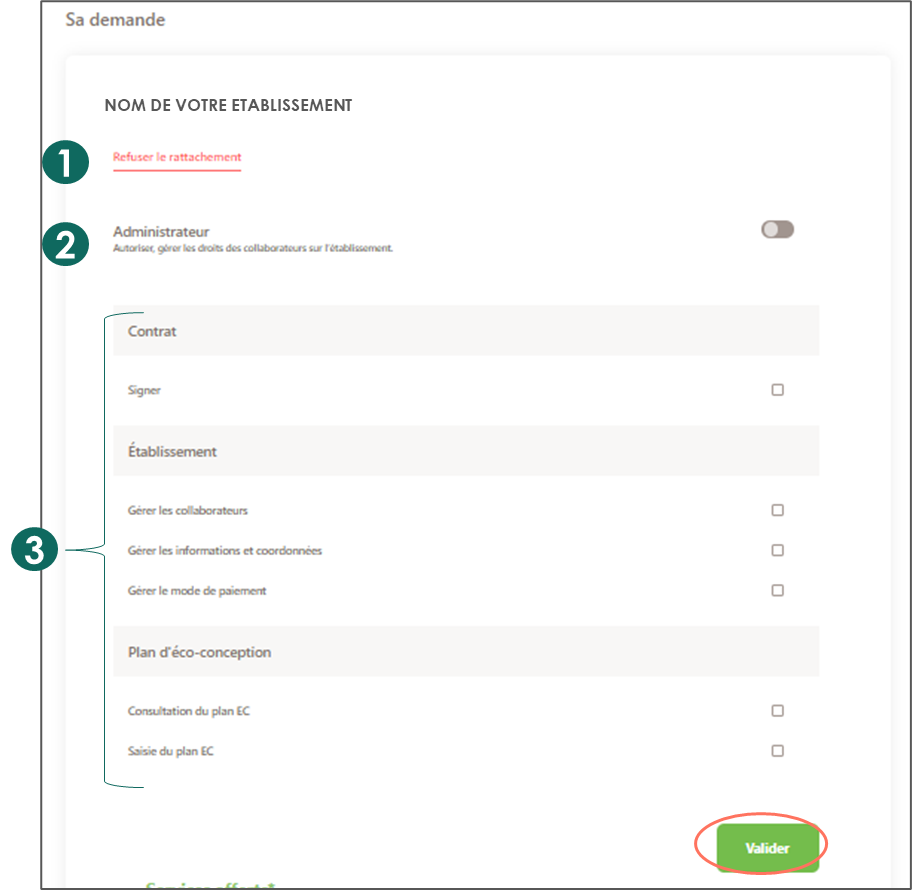
You can either:
Decline this user's attachment request to your establishment
Grant them administrator rights for your establishment
Customize their rights by selecting their permissions
Then click on "Validate"
If no rights were selected before validation, the user will have read-only rights.
An email will be sent to this user to inform them of the processing of their request