Ecomaison provides you with two complementary online spaces:
The Services Space is the administrative management tool (accounts, establishments, contracts)
The SI Collecte allows operational management of collection solutions (e.g., skips, Pro Card).
Services Space
Overview
The Services Space is the online administrative management tool (accounts, establishments, contracts) for:
signing a contract
modifying user-related information
modifying establishment-related information
creating a new user account (contact)
creating an establishment (account or sub-account)
declaring your eco contribution
requesting grants
if you are an establishment administrator: managing attachment requests by users
Access
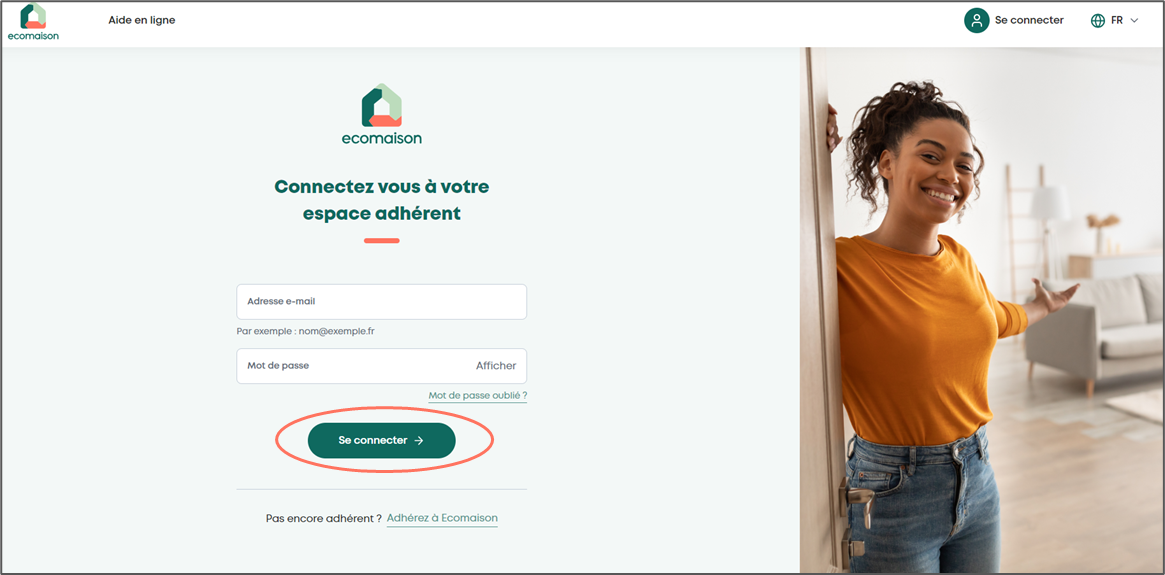
Click on the link https://espace-services.ecomaison.com/
Enter your email and password, then click “Log in”
If you don’t remember your password, follow the guide
SI Collecte
To request collection solutions (Pro Card, skip orders...)
After signing a collection contract in the Services Space, an access is automatically created in the SI Collecte.
Connecting to SI COLLECTE
New Ecomaison user
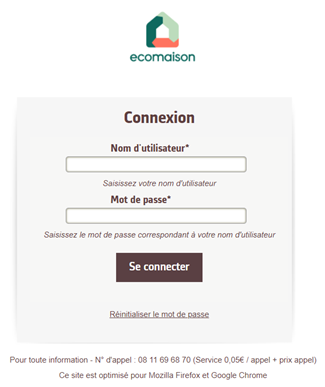
After signing your collection contract in the Services Space, an email is sent to you by the SI COLLECTE.
Click on the link received by email.
Provide the identifier and set a password.
If you already have an account in SI COLLECTE
Click on "Collection Request" in the contract page of the Services Space, which will redirect to SI COLLECTE.
Enter your identifier and password.
Access collection solutions
Once connected, a pop-up is displayed to define the activity of the establishment, click on validate
Establishment and contact information are visible in “My Account”; any updates must be made in the Services Space (an informational message will remind you)
Go to “My collection solutions” to request collection solutions.

Useful links
🌍 SI Collecte access: sicollecte.ecomaison.com