Start by creating your user account before linking it to the establishment account.
Step 1: Access the Service Space
Method 1: Go to the Ecomaison website https://www.ecomaison.com/
Access the “Professionals” tab https://ecomaison.com/professionals/
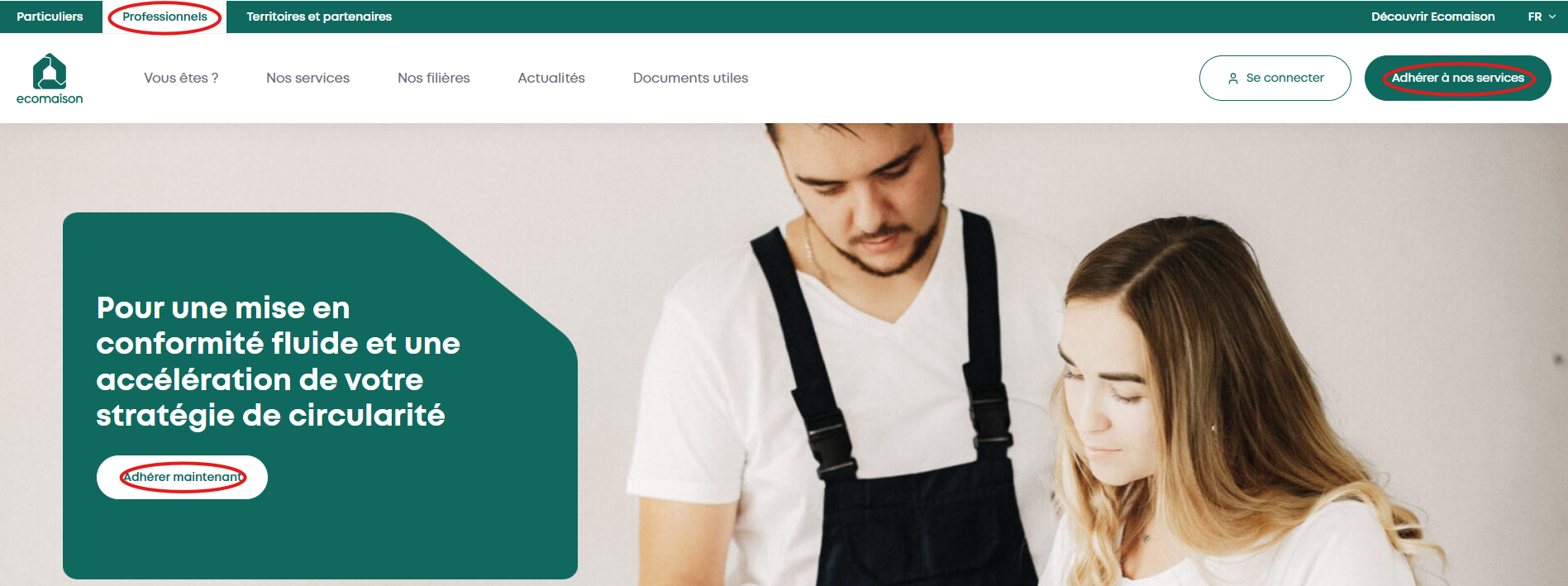
Click on “Subscribe to our services” or “Subscribe now”
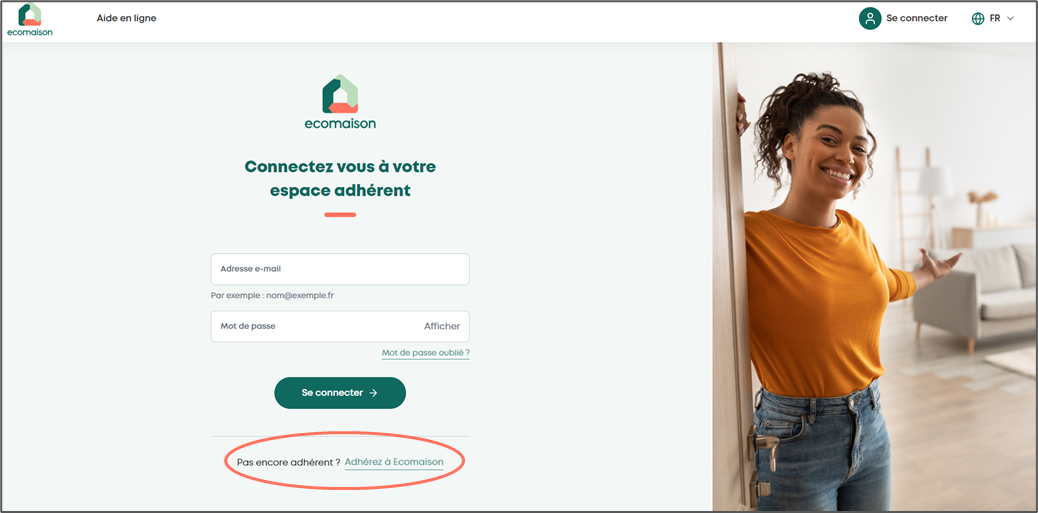
Method 2: Click on the linkhttps://espace-services.ecomaison.com/
Click on “Subscribe to Ecomaison”
Step 2: Enter your email address
Enter your email address, then click on "Next Step"
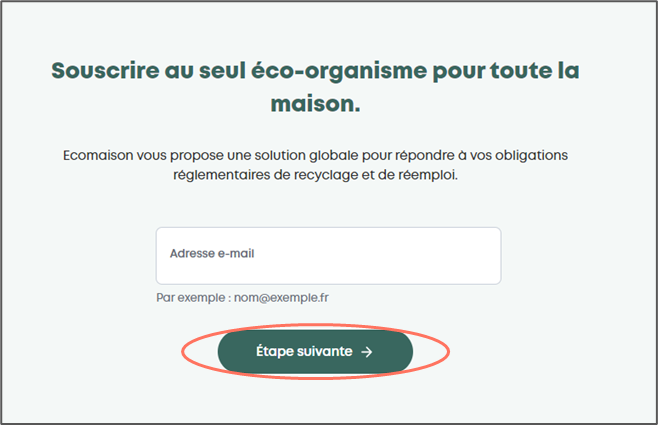
Your email address will be immediately recognized if a user account was previously created.
If you are redirected to the login page, it means that a Service Space account already exists with the email you entered.
Within your company, each person must have their own user account linked to one or more establishment accounts and specific rights.
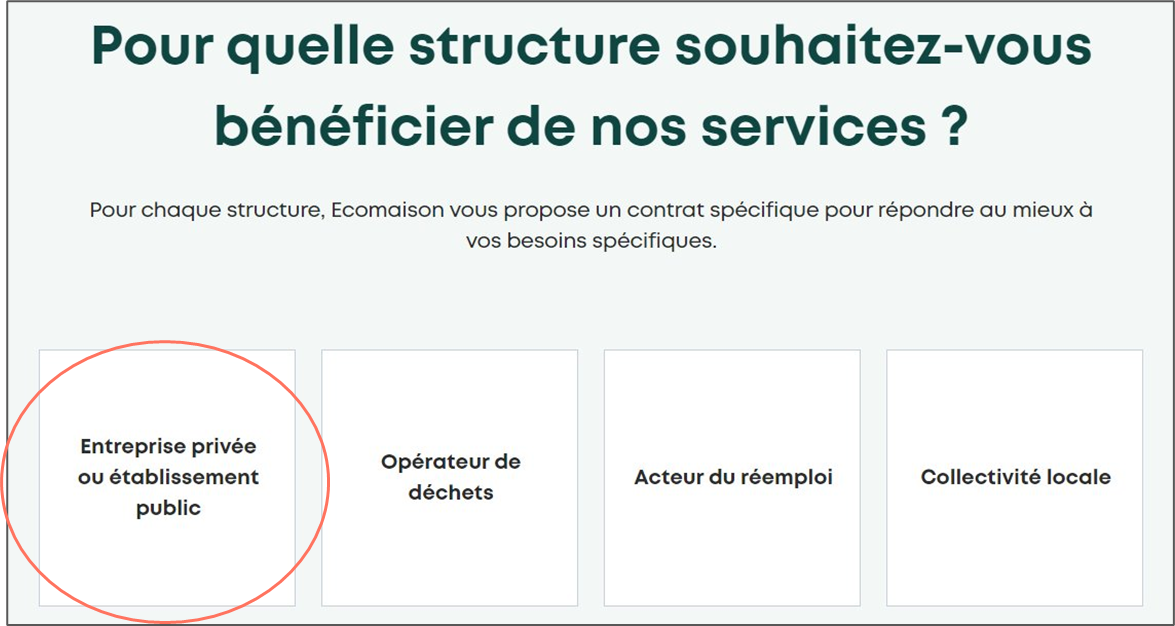
Step 3: Select your structure
Select "Private company or public establishment"
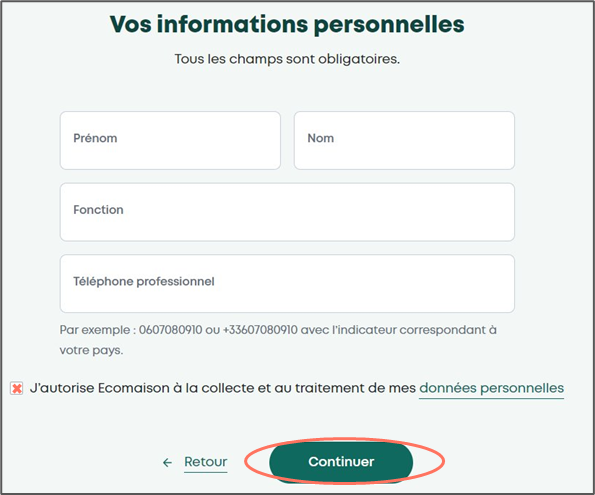
Step 4: Enter your personal information
Enter your first name, last name, position, and phone number
Check the box authorizing the collection and processing of your personal data
Click on "Continue"
Step 5: Create your credentials
Your login username will be the email address provided
Set a password linked to this email meeting the provided criteria
Re-enter the password for confirmation
Click on "Continue"
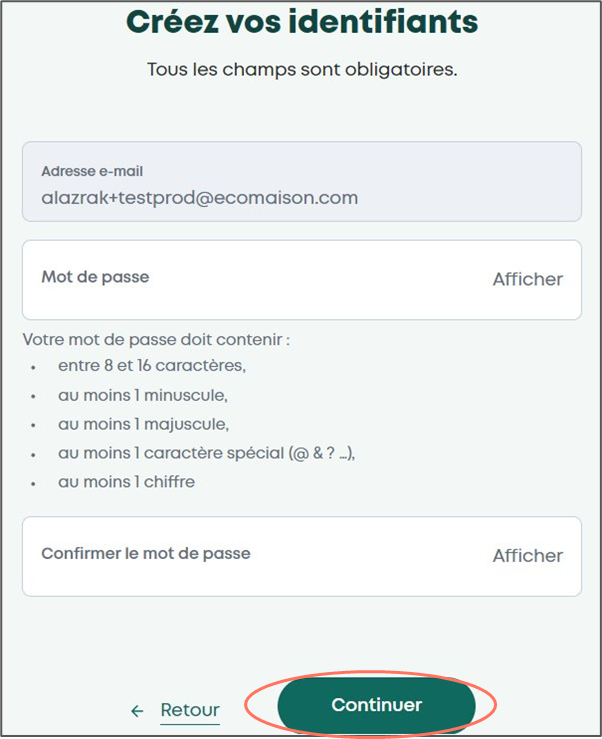
Your password must contain:
between 8 and 16 characters
at least 1 lowercase
at least 1 uppercase
at least 1 special character (@ & ? …)
at least 1 number
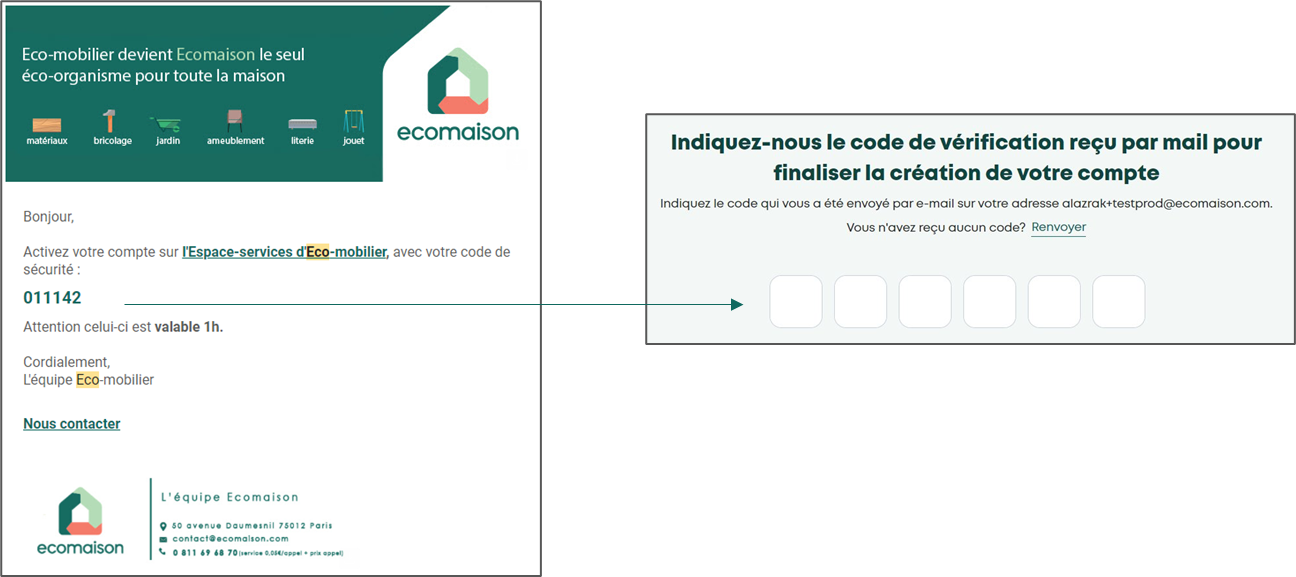
Step 6: Verify your email address
Enter the verification code received by email
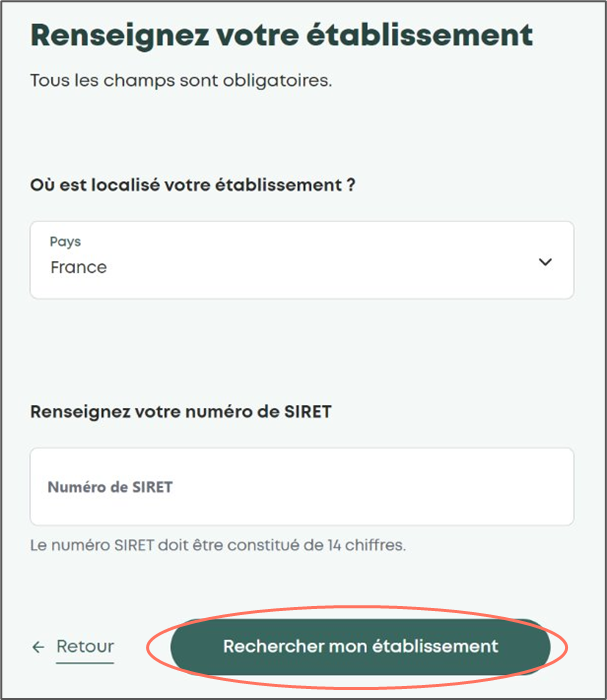
Step 7: Provide your establishment information
Enter the SIRET number of your establishment
Then click on "Search for my establishment"
Two scenarios are possible:
Case 1: the establishment is already a partner of Ecomaison
Case 2: the establishment is not known to Ecomaison
Case 1: the establishment is already a partner of Ecomaison
Click on "Send a linkage request"
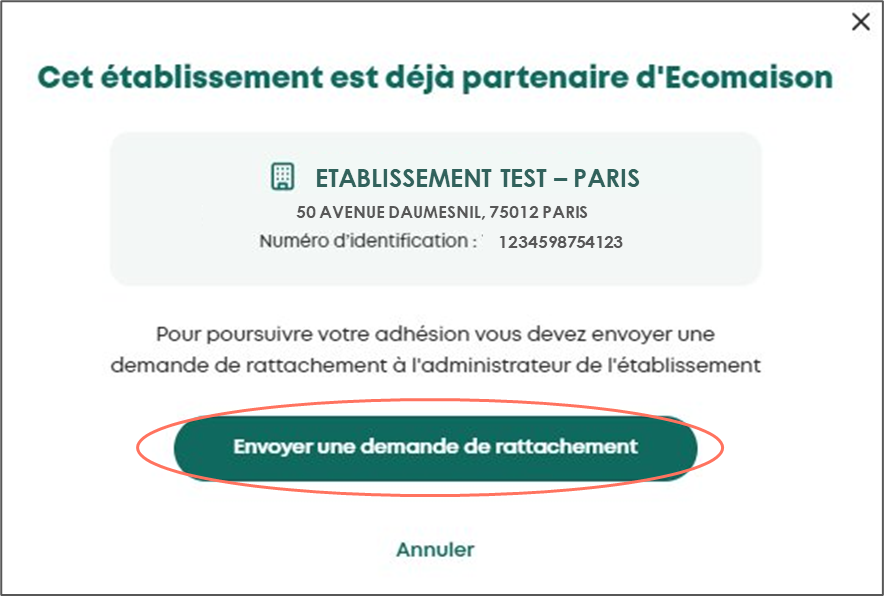
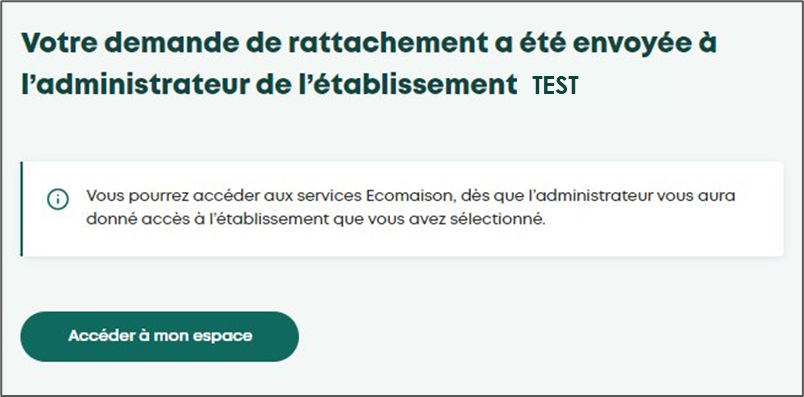
The establishment administrator will then receive an email notifying them of this request
To be definitively linked to this establishment, this administrator must accept your request
Case 2: the establishment is not known to Ecomaison
Click on "Continue"
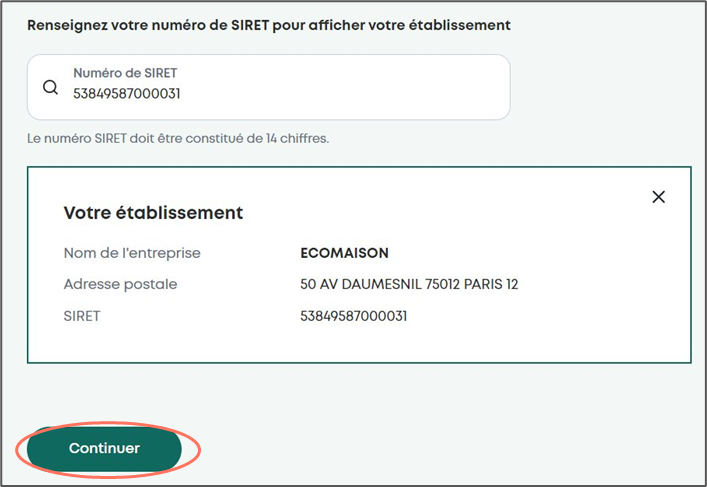
Congratulations, your establishment has been created in the Service Space, and you are its administrator.